Back to plugins 
OBS Control
OBS recording, replay, and stream status widget for Noctalia.
v0.1.2 ayagmar MIT Apr 18, 2026
About
OBS Control
OBS Studio controls for Noctalia Shell.
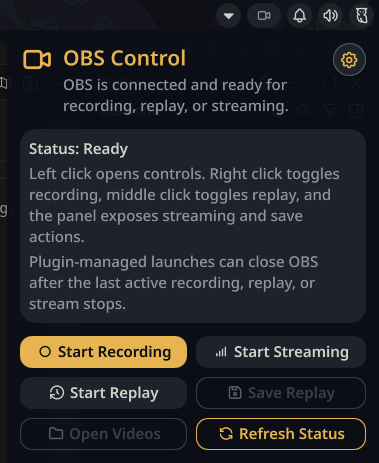
OBS Control adds a stable bar button, an optional Control Center shortcut, and a panel for recording, replay buffer, and streaming actions.
Quick Start
- Install
obs-studio. - Enable OBS WebSocket in OBS.
- Install
qt6-websocketsif your Quickshell runtime does not already include Qt WebSockets. - Enable the plugin in Noctalia.
- Add
plugin:obs-controlto your bar or Control Center layout.
On Arch Linux:
sudo pacman -S obs-studio qt6-websockets
Highlights
- optional always-visible bar button, so the OBS slot stays in the same place
- quick panel actions for record, replay, stream, refresh, videos, and settings
- optional Control Center shortcut
- OBS launch support with minimize-to-tray behavior for automatic starts
- auto-close for plugin-managed OBS launches after the last active output stops
- replay save and open-videos shortcuts
- Noctalia IPC actions for keybinds and scripts
IPC
General form:
qs -c noctalia-shell ipc call plugin:obs-control <command>
Commands
| Command | Description |
|---|---|
togglePanel |
Open or close the OBS panel |
openSettings |
Open the plugin settings |
toggleRecord |
Start or stop recording |
toggleReplay |
Start or stop the replay buffer |
toggleStream |
Start or stop streaming |
saveReplay |
Save the current replay buffer |
launchObs |
Launch OBS |
refreshStatus |
Refresh OBS state |
openVideos |
Open the configured videos folder |
primaryAction |
Run the configured left-click action |
secondaryAction |
Run the right-click action |
middleAction |
Run the middle-click action |
Example Niri binds:
binds {
    Mod+F9 { spawn "qs" "-c" "noctalia-shell" "ipc" "call" "plugin:obs-control" "toggleRecord"; }
    Mod+F10 { spawn "qs" "-c" "noctalia-shell" "ipc" "call" "plugin:obs-control" "toggleReplay"; }
    Mod+Shift+F10 { spawn "qs" "-c" "noctalia-shell" "ipc" "call" "plugin:obs-control" "saveReplay"; }
    Mod+F11 { spawn "qs" "-c" "noctalia-shell" "ipc" "call" "plugin:obs-control" "toggleStream"; }
    Mod+F12 { spawn "qs" "-c" "noctalia-shell" "ipc" "call" "plugin:obs-control" "togglePanel"; }
}
Settings
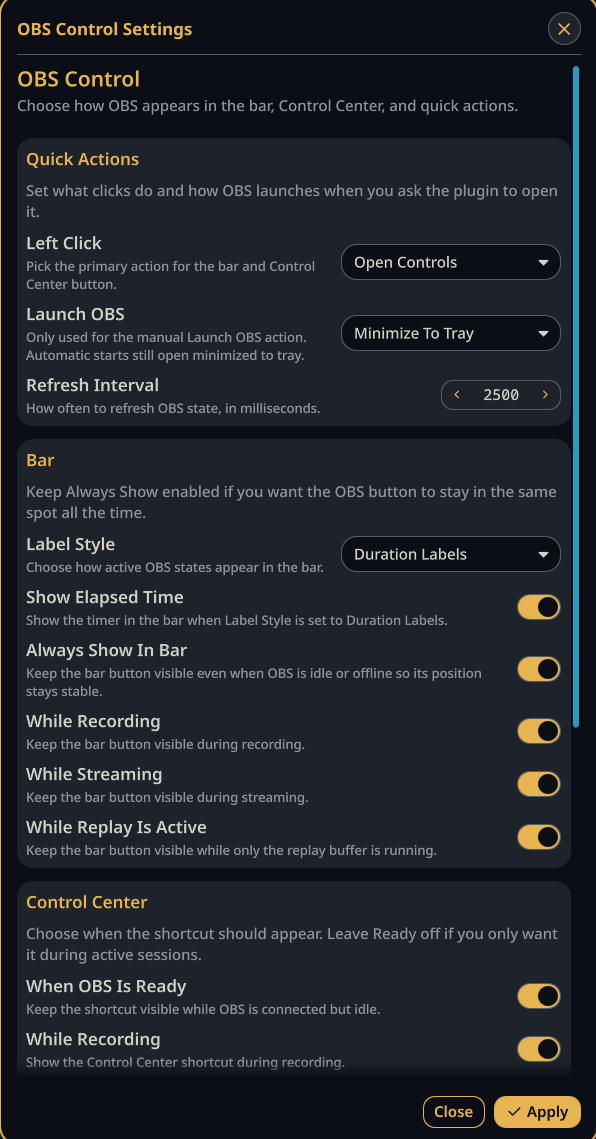
You can open settings from:
- Plugins → OBS Control → Configure in Noctalia
- the gear button in the panel header
- IPC with
qs -c noctalia-shell ipc call plugin:obs-control openSettings
Troubleshooting
- If OBS is running but control is unavailable, restart OBS once after enabling obs-websocket.
- If the plugin reports missing Qt WebSockets support, install
qt6-websocketsand restart Noctalia. - If OBS WebSocket is disabled, enable it in OBS and then refresh or restart Noctalia.
- If
xdg-openopens a terminal file browser, set Videos Opener to your GUI file manager. - If actions do nothing, try:
qs -c noctalia-shell ipc call plugin:obs-control refreshStatus
Screenshots